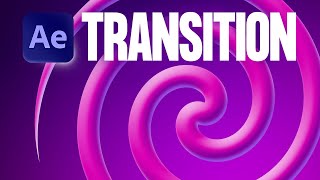
Crazy Spiral Transition in After Effects | 1 Layer, No Plugins!
Channel: Ben Marriott
Category: Education
Tags: basic after effectsswirl animation tutorialmotion design workflowadobespiral animation after effectsspiral animation tutorialafter effects tutorialafter effects transitionsafter effects transitionspiral after effectsafter effects beginner tutorialswirl transition after effectsben marriott animationanimate spiral tutorialmotion graphics tutorialben marriottspiral transition animationbeginner after effects tutorialtwist effect after effects
Description: MotionElements Unlimited Subscription ➨ motionelements.com/subscribe 🔸 Unlimited downloads of After Effects, Premiere, FCPX & DaVinci Resolve templates, videos, music and more 🔸 Easy licensing - use forever with no additional licensing fees required This video was sponsored by MotionElements. A tutorial on how to animate a spiral all in After Effects. This easy tutorial is suitable for beginners. Download the FREE project file: gum.co/aespiral Download my other free project files: gumroad.com/benmarriott Enroll in my Animation course: bit.ly/3kETFIz I'm uploading new motion design & animation tutorials every Thursday! (Sometimes Monday too) ►Follow my ongoing adventures on Instagram: instagram.com/ben_marriott_ ►Please tag me on Instagram @ben_marriott_ if you've used any of the techniques from this video so I can see what awesome things you create ►Find me elsewhere! Vimeo: vimeo.com/benmarriott Facebook: facebook.com/benmarriottillustration ► I use Yellow Images for stock assets, fonts, and mockups yellowimages.com/?yi=167143 (Affiliate link) ►Music: Massive thanks to madmomentsgo for providing that amazing music for my intro! check out his other brilliant work here: bit.ly/2ER0bJF